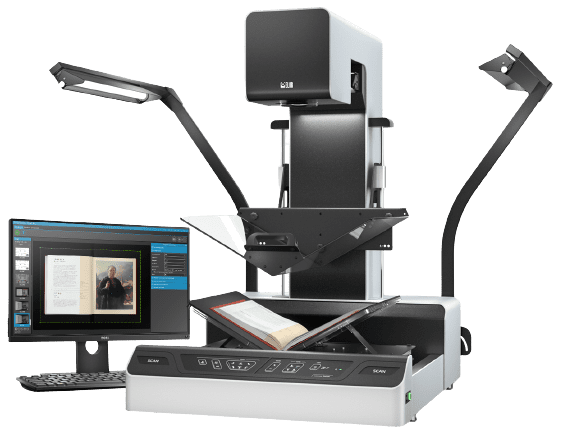
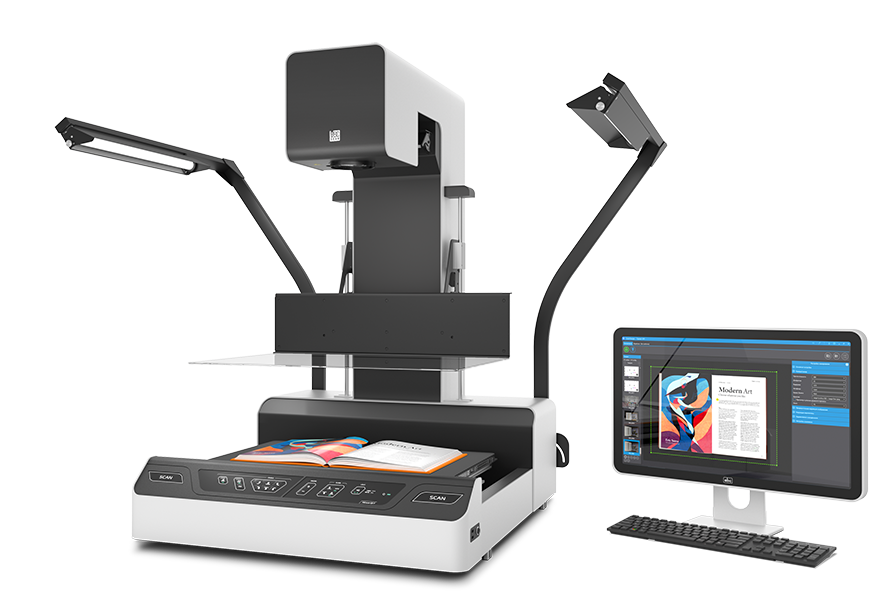
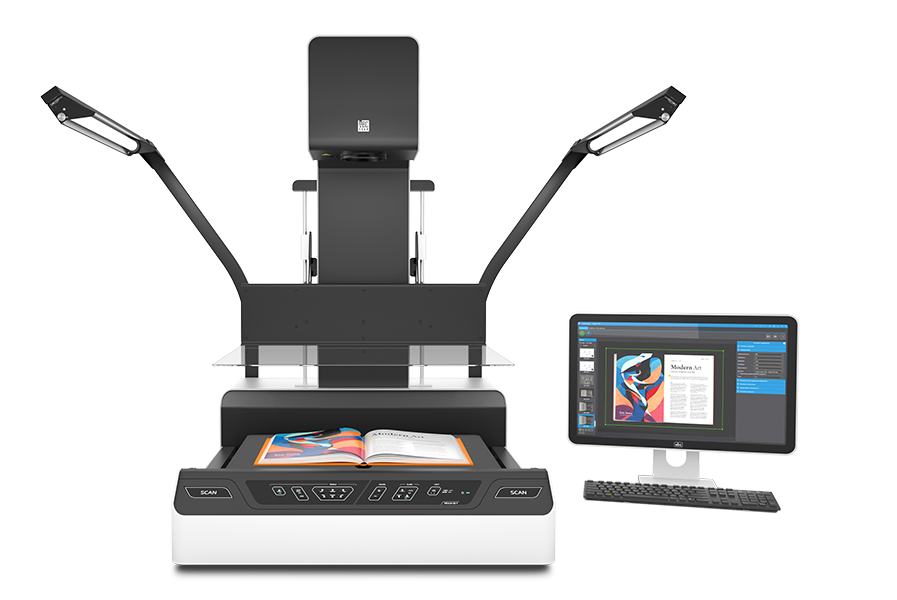
ElarScan A2-600R

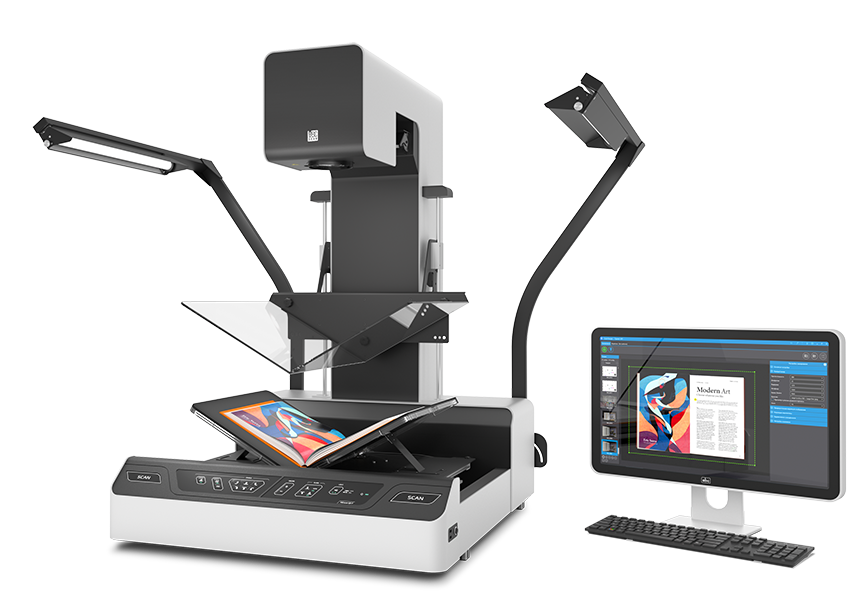
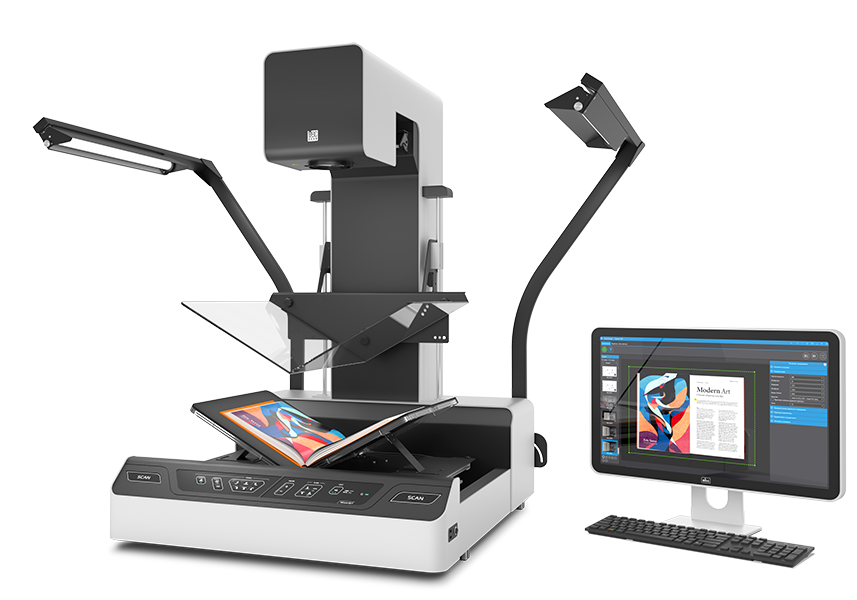
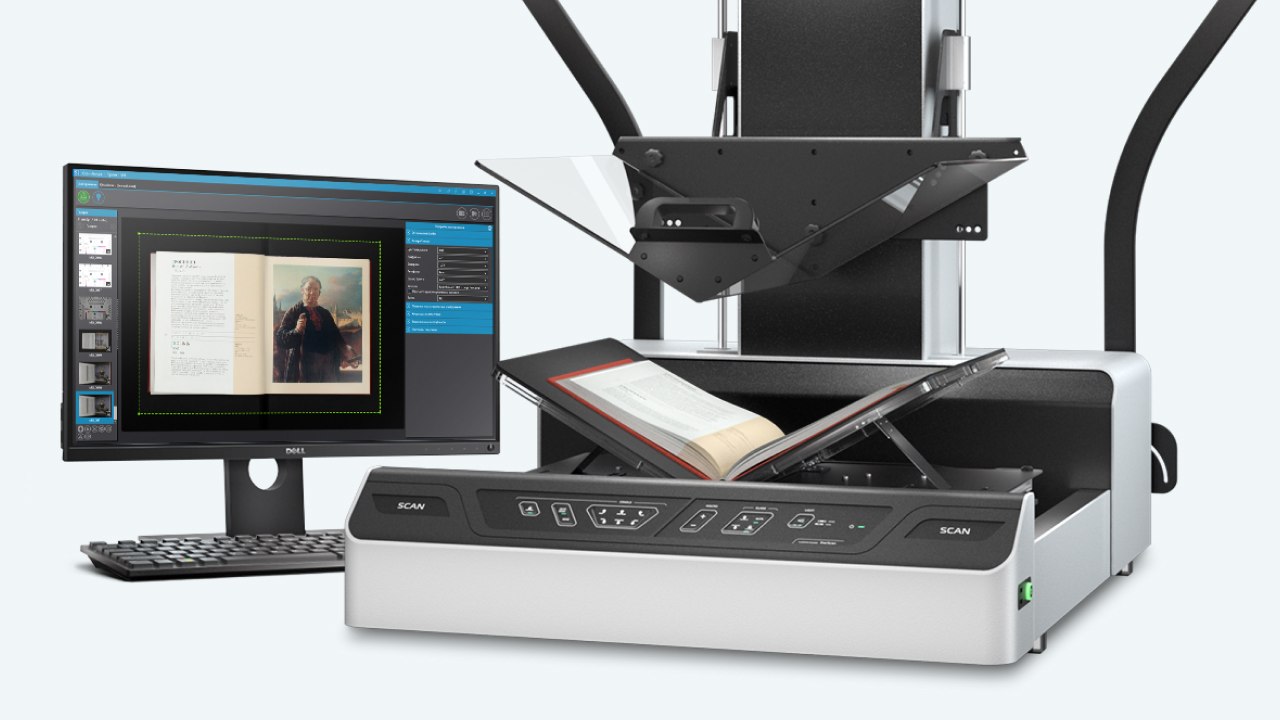
The ElarScan A2-R planetary scanner is able to scan in a streaming mode bound and flat documents of the format up to A2+ in any physical state, including with incomplete opening, jams and other physical features that require careful handling when digitizing.

DESCRIPTION

The main feature of the “R” modification is the presence of flattening glasses with a manual lifting mechanism, which allows safe digitization, completely controlled by an expert. The design of scanner optical system includes an RGB sensor enabling high-quality digitization with an option to autofocus and automatically adjust to originals of various thickness and textures. The scanner comes with two options of the optic system. ElarScan А2-600R has a professional CMOS RGB 50 MP camera, which expands the possibilities of using the scanner for digitalization of graphics, damaged documents and low-contrast texts.

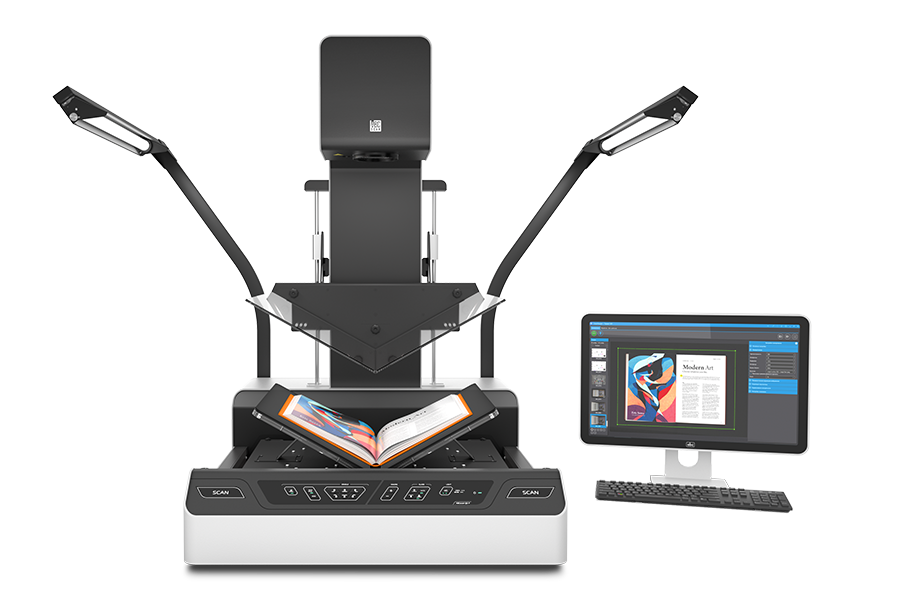
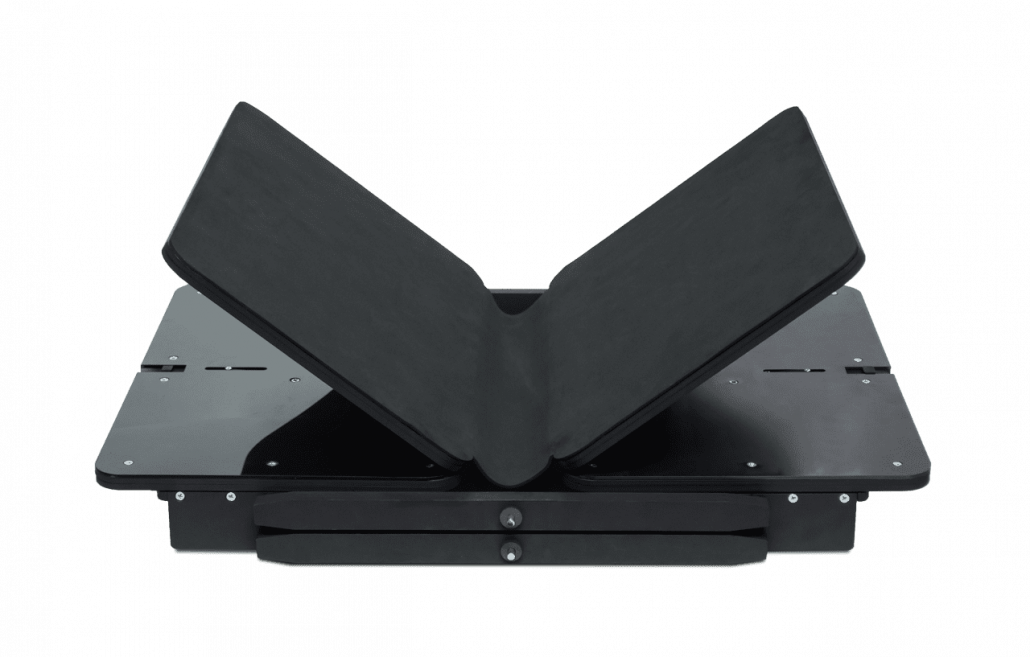
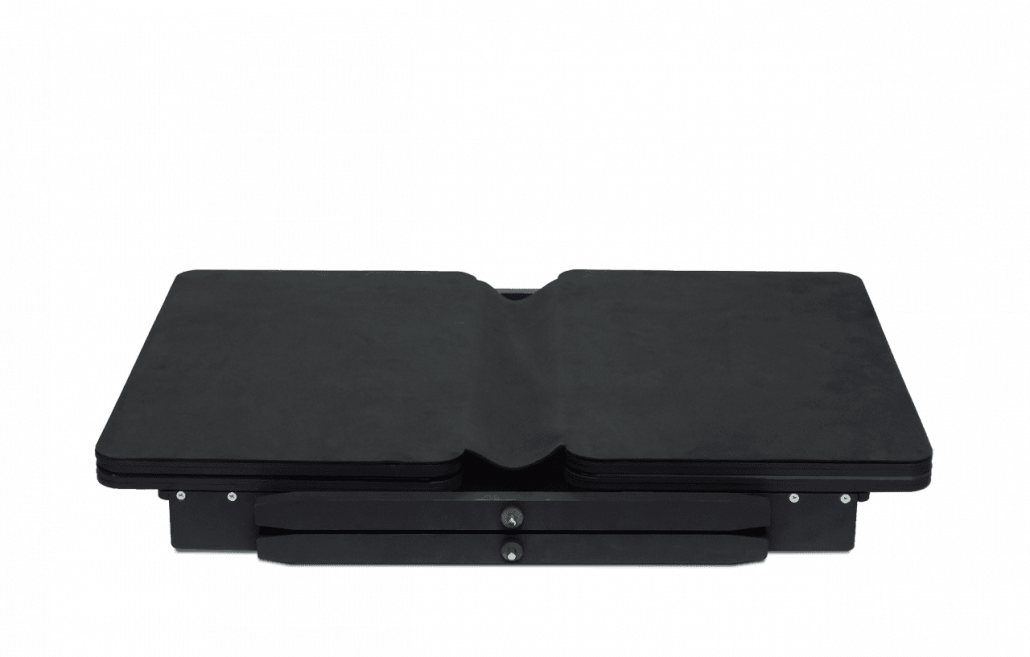
The ElarScan А2-R modification is equipped with a V-shaped manual book cradle with independent adjustment of plates to different thickness of originals and an additional recess for the spine. The cradle can open at 90, 120 to 180 degrees and is designed to scan originals up to 15 cm thick and weighing up to 15 kg. Separate lifting of the plates allows scanning the originals lifting the right and left pages separately. All the main elements of the book cradle design are made of metal and have high resource of work at the maximum load.

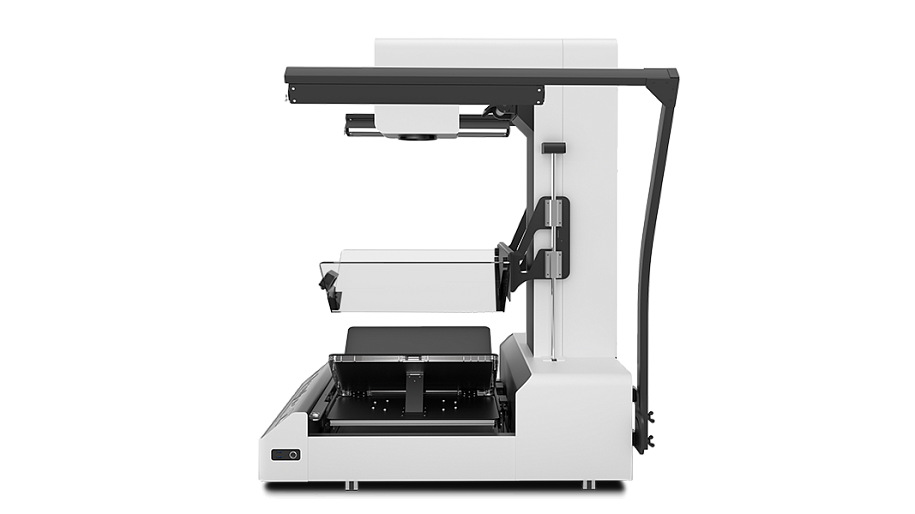
To level the surface of the original during scanning, the scanner is equipped with two replaceable tempered glass modules with a manual mechanism for raising and lowering.

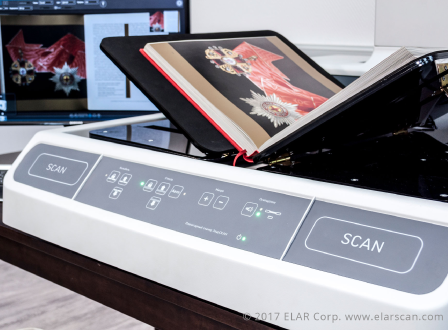
The scanner operation is extremely simple, convenient and does not require special skills from the user, allowing fast and efficient scanning, processing and transferring any amount of data. User only needs to place the document on the cradle (face up) and start scanning in any of the convenient ways: using the embedded control software, using scan start buttons on the housing or optional footswitch.

ElarScan A2-R is a fully autonomous device with feature-rich embedded software for mass scanning and subsequent processing of electronic images. Electronic images are saved directly to the scanner memory, an external USB drive, or immediately to the network (to an employee’s personal station, server or cloud storage).

The functional and technical features of ElarScan А2-R ensure the most extensive scanner applications. Departments, companies and institutions can use it in the public zone, and also organize mass digitization of documents in the stream mode.

One of the most important advantages of ElarScan A2-R is its price: the scanner is one of the most inexpensive A2+ format planetary scanners on the market with no consumables that should be changed during operation. Therefore, the scanner is extremely cost-effective with high degree of reliability during intensive operation, and a set of functional features, technical and operational characteristics and software capabilities in the basic configuration puts it several levels higher than its closest competitors.

ElarScan A2-KS is a standalone scanning device that can operate without connection to a workstation. The scanner can save the received images to external USB drives or to network folders due to the six built-in USB ports and the Gigabit Ethernet network interface.

ElarScan А2-R has a camera with high resolution CMOS RGB sensor with high depth of definition and a macro module, which allows digitization of small objects and individual areas of the originals with high optic resolution without software interpolation. To ensure accurate focusing of the optical system on non-contrast originals, the scanner has a built-in laser module for focus area illumination. The scanned original is displayed in real time on a FHD widescreen monitor.

The scanner has an adaptive LED repro type illumination system that does not have harmful ultraviolet and infrared effects on the originals and ensures even distribution of light on the surface of the original. The illumination system used in ElarScan enables almost complete elimination of ambient light, glares and shadows even when using glass plates. The illumination system is activated during scanning, but it can be set to a constant mode. The lamps offer an option of adjusting the light stream direction.

The built-in original hold-down system with a flat fold-back tempered glass plate and a fixing mechanism in the horizontal position allows for effective evening out of the originals’ surfaces. If you need to work without the glass plate, it can be fixed in the vertical position.

ElarScan А2-R has a V-shaped automatic book cradle with different placeholder opening modes and angles. This allows the scanner to digitize various types of originals in formats up to А2+: from a flat document to books and stapled documents up to 15 cm thick and weighing up to 15 kg, including incomplete or partial disclosure.

CRADLE

The cradle has opening angles of 180 to 90 degrees, at the same time the halves can be lifted separately and slid together and apart; when apart, there is a recess under the book spine in the cradle, which eliminates the risk of damage. The cradle is also fit with a mechanism for automatic smooth adjustment by height. The cradle is controlled from the scanner panel.

EMBEDDED SOFTWARE

The high quality, high color accuracy and absence of geometrical distortions of electronic images when scanning on ElarScan A2-KS results from two main factors: modern optical system and rich embedded software processing capabilities.

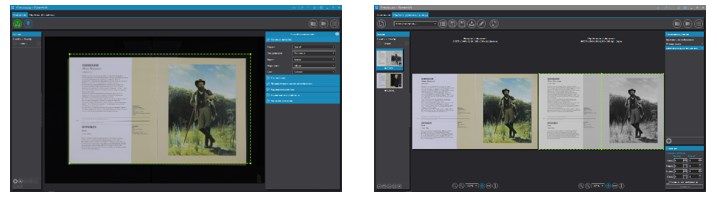
The embedded ScanImage software is a complete set of tools that control all stages of digitization: scanning, image processing, quality control and indexing of images. There is a possibility of administering and controlling the users’ work, there is a configurable file directory structure, and also control of the usage statistics.

ADDICTIONAL MODULES AND ACCESSORIES

The design of ElarScan А2-R scanner uses all the most advanced technologies and materials. The housing of the scanner is made of high-strength composite plastic fastened on metal base to impart overall strength and durability of the structure. This is especially important for scanning when the maximum protection from parasite vibrations is required.

The control panel of the ElarScan А2-R scanner is made with consideration of the many years of accumulated experience of book scanner production, the selected dust and moisture protection structure has LED indication of the operation modes. All the panel buttons have visual icons and symbols in English.

For user’s convenience, scanning can be launched in several ways:

  • with the scan start buttons on the scanner panel;
  • through the embedded software interface;
  • by interval (after a specified period of time);
  • by automatic page flip detection function;
  • with the control footswitch (option);
  • by pressing the original with the glass plate;

TECHNICAL SPECIFICATION

Scaning principle: Overhead, universal automated cradle and flattening glasses with a lift-up mechanics
Book Cradle: Universal automated book cradle with an opening angle of 90, 120 and 180 degrees, independent adjustment of the height and angle of the trays, adjustable recess for the book spine, automated controls and balance of the trays to level the surface of an open book
Maximum format:
  • А2-400/600RA: A2++ (660×450 mm);
  • A2-800RA: A2+ (625×465 mm)
Scan time: 0.5 sec., regardless of the size of the original.
Scan system: Camera with CMOS RGB sensor.
Interactive optical zoom (macro-mode): With feedback and software control; ability to automatically adjust to a given scan format.
Scan Resolution:
  • A2-400RA: 300-600dpi, optically adjustable;
  • А2-600RA: 400-800dpi, optically adjustable;
  • A2-800RA: 600-800dpi, optically adjustable.
Control interface:
  • Dust-and-moisture-proof control panel with LED indication and two buttons for quick start of scanning;
  • Large-format monitor to provide real-time preview and work with the software.
Max. thickness of originals: 15 cm.
Max. weight of originals: 15 kg.
Lighting system: 3-zone, including front and two side adjustable repro-type illuminators, LED-lamps without IR and UV radiation.
Embedded software:
  • Software for document imaging (SDI) basic version for ElarScan control;
  • Software for document imaging (SDI) full version (option) includes batch scanning functions, project and user profile management, filters and post-processing procedures, external image import, multilingual OCR and others. Can be installed on a separate computer.
Software for document imaging (SDI) basic version functions:
  • Batch scanning of documents, sections or books of various formats;
  • Geometric image correction when scanning with an original opening angle of 90, 120 and 180 degrees;
  • Access to camera software settings and save them in a scan job (Project);
  • Automatic detection of original size;
  • The ability to quickly jump to any scanned image;
  • View thumbnail image of all scans, ability to move the scanned image within the project with automatic re-numbering;
  • Deleting and replacing a failed scanned images;
  • Saving images to hard drive or to a network folder;
  • Auto-naming a files using variables and their combinations:
    • Name of computer;
    • Counter with the specified number of digits.
  • Scan start:
    • Using the scan start button;
    • Using software interface.
Additional functions of Software for document imaging (SDI) full version:
  • Interactive optical zoom with feedback and software control with the ability to automatically adjust a maximum resolution to selected scan size;
  • Splitting a scan into two separate pages and then saving it as two separate files;
  • Setting up Projects (jobs) and Profiles, allowing you to optimize the work of the operator;
  • Export/Import of scan Projects in order to preserve and/or transfer the jobs to other ElarScan or PC;
  • Free masking mode (selection of fragments) by real-time live preview;
  • Loading images in JPEG format from external sources by the «Hot folder» mode;
  • Switching from scanning mode to processing mode and vice versa at any time without the need to save current changes in image files;
  • Setting up and applying the ICC profiles;
  • Geometric image correction;
  • Access to camera software settings and save them in a scan Project;
  • Automatic detection of original size;
  • Ability to save raw images;
  • Archiving in ZIP format for sending by e-mail;
  • Saving images in cloud storage;
  • Rich auto-naming of scans using variables and their combinations:
    • Username;
    • Image size in pixels;
    • Resolution in dpi;
    • Date in the format dd.mm.yyyy;
    • Counter with the specified number of digits.
  • Starting a scan:
    • Manually, through the software interface;
    • By interval (after a specified period of time);
    • Using the automatic page turn detection function.
  • Recognition of a barcode on a scanned document, using a barcode to name a target folder;
  • OCR to PDF with text layer (support for more than 50 languages);
  • Batch post-processing of uploaded images from external sources;
  • Correction of brightness, contrast, saturation, gamma;
  • Image sharpening;
  • Image alignment;
  • Removing black borders and warps;
  • Removing the background of an image;
  • Removing debris from an image;
  • Removal of background «garbage», noise and spots for b/w images;
  • Scaling as a percentage of the original size;
  • Enlargement, reduction and rotation of the image;
  • Text lines alignment;
  • Clipping borders by the field;
  • Clipping borders by meaningful information — cropping the scan image by text/picture field;
  • Replenishment of edges by adding an extra margin and aligning edges using sheet geometry;
  • Block clearing — deleting an image inside or outside the selected area;
  • Masking the operator’s fingers;
  • Light level equalization;
  • Image centering;
  • Applying an electronic stamp to the image;
  • Saving multiple areas of an image as separate files (multi-masking);
  • Rotate by a given angle (multiple of 90 degrees or arbitrary);
  • Mirroring — reflecting the image vertically or horizontally;
  • Converting color and gray images to b/w without losing meaningful information;
  • Inversion of colors;
  • Setting up and preservation of a sequence of image processing operations (processing profiles);
  • Active post-processing mode — applying the processing profiles to coming images;
  • Return to the original image (undo) with the ability to undo all or each individual image processing filters.
Connection interface: USB; LAN (Gigabit Ethernet).
Additional (optional) modules and accessories:
  • Autonomous V-glass 120 degrees, 2xDIN A3 format;
  • Control footswitch;
  • Dust-proof covers;
  • The sensor monitor (recommended when using the scanner as a «self-service stand»);
  • Wireless interface Wi-Fi (802.11a/b/g/n);
  • External CD/DVD drive.
Other: Dimensions: (L×W×H) — 970×780×1250mm (970×1800×1250mm with lights in working position)
Weight: 87 kg (with one pressure glass installed)
Power: 100-220V, 350W.

* — Indicated time depends on the selected settings and the post-processing functions used; The manufacturer reserves the right to make changes in the design and configuration of the product that do not reduce the quality and technical characteristics of the equipment.