BookDrive Editor
Software for processing images from Atiz scanners


Software for processing images from Atiz scanners
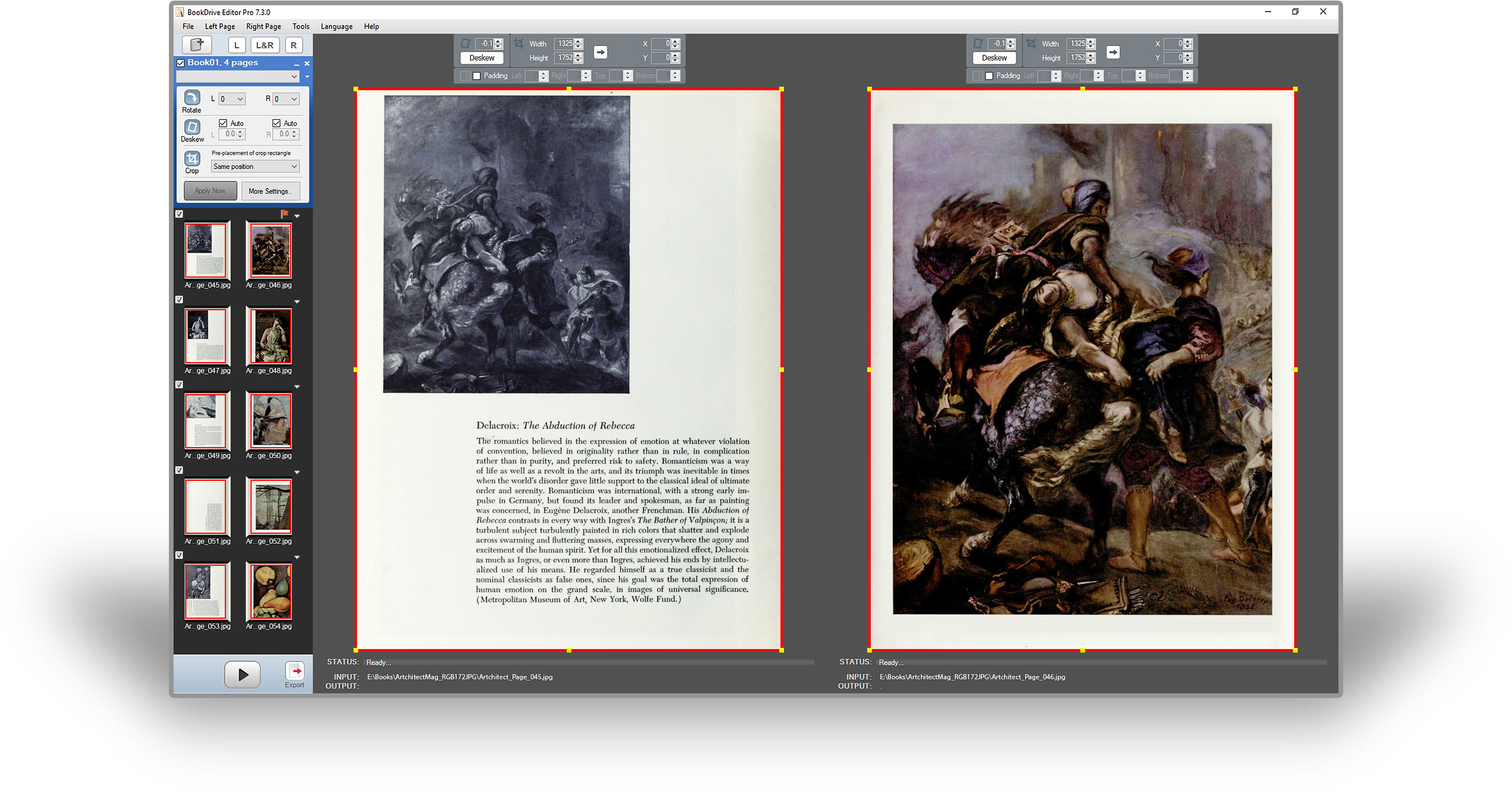
BookDrive Editor is the post-scan image processing software. It is all you need to convert scanned images into final output of the highest quality for distribution or archiving. Simply put, it turns great images into even better ones.
All the enhancements that you made to a book can be saved as a profile. When you face with the same kind of book, simply evoke the profile you have saved instead of going through the configurations again. The program comes with default profiles for frequently seen book types such as textbooks and old books. The project manager can create and save custom profiles for use by junior operators.
You can configure appearance of the images down to granular detail. Image enhancement operations available include level adjustment, contrast adjustment, sharpening, despeckling, black border and background removal, and resizing images.
You have more cropping options. You can choose the program to pre-place the crop rectangles at exactly the same position in every pair, or slightly varying positions based on the text, or the page edge. After that, you can still make further change on any pair individually so that the final cropping will be done at precisely the position you want in every single page.
You can adjust crop area to very precise position as well as add padding area (computer generated page margin) to make the page appear well spaced, balanced or symmetrical.
You only need to make settings for the first pair of images. The program will apply those settings to the remaining pairs automatically for unattended, hassle-free fast batch operation. Load as many books and as many chapters each of which having its own profile as you want, hit Run, and then leave. Come back and you will see the job completed.
The new and improved export tool lets you easily output files either as single-page, or multi-page TIFF, PDF or even ISO 19005-1 compliant PDF/A document, a format well-suited to long-term archiving and preservation.
BookDrive Editor Pro can replace that with bright and clear background free from speckles and stains, effectively preserving old, faded prints and priceless historical works such as scrolls and century-old books. Color and highlights in the page can be preserved while giving new life to grey and drab pages.
BookDrive Editor Pro has got some really advanced B&W conversion called Adaptive Local Thresholding technique that intelligently converts each pixel to black or white according to the information of that pixel relative to the surrounding area. This ensures you will get superior B&W output compared to the standard ones.