
ElarScan A2-400

Profesjonalny, a zarazem ekonomiczny i kompaktowy skaner planetarny, 300-600 DPI, z regulacją optyczną.

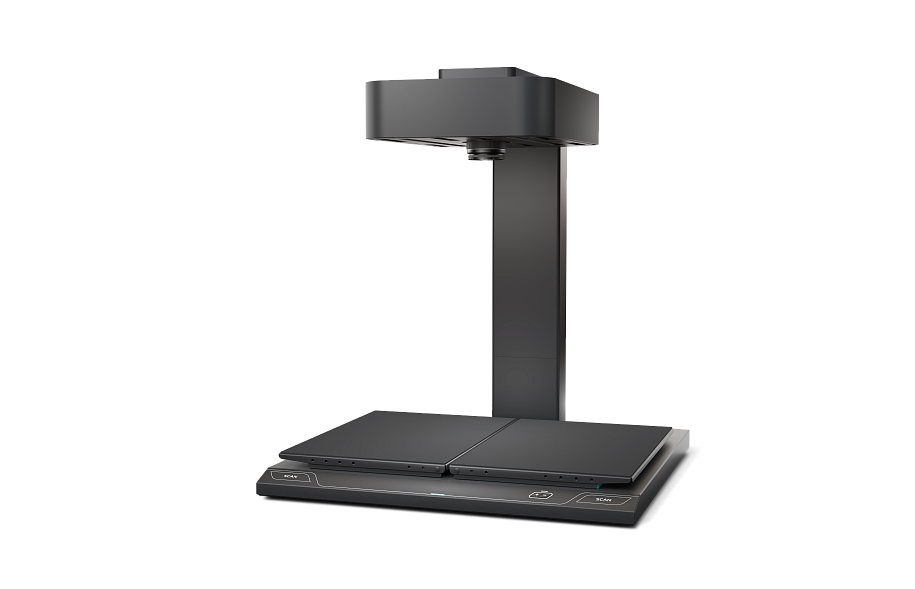
Seria skanerów napowietrznych ElarScan A2-400 jest przeznaczona do digitalizacji dokumentów oprawionych i płaskich różnych typów Do DIN A2+ w dowolnym stanie fizycznym, w tym z niepełnym otwarciem, zacięciami i innymi funkcjami.
Opis

Modele ElarScan A2 wyposażone są w czujniki CMOS RGB o dużej głębi ostrości, możliwości wstępnego przetwarzania obrazów w czasie rzeczywistym, system autofokusa oraz interaktywny zoom optyczny umożliwiający cyfrową kontrolę rozdzielczości skanowania.

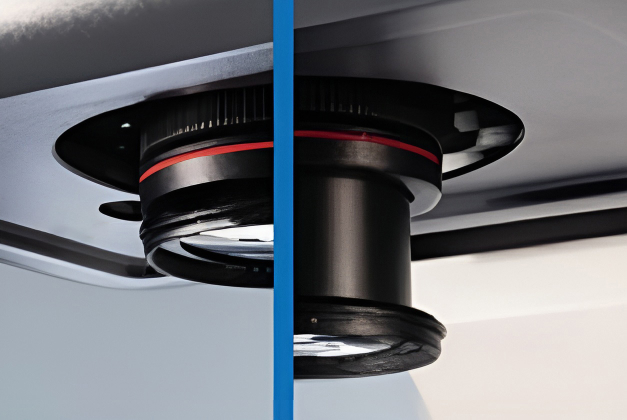
Interaktywny zoom optyczny ze sterowaniem cyfrowym

Unikalną cechą ElarScan A2 jest interaktywny zoom optyczny, który pozwala na digitalizację małych obiektów i fragmentów o zwiększonej rozdzielczości optycznej bez interpolacji programowej, szybko wybrać i sterować optymalną rozdzielczością wyjściową skanowania. Intuicyjne sterowanie z interfejsu programu lub z panelu sterowania pozwala ustawić żądany rozmiar lub wybrać format dokumentu. Układ optyczny, wspierany przez profesjonalne oprogramowanie do przetwarzania obrazu dokumentów (SDI), automatycznie określa optymalny obszar skanowania, płynnie dostosowując optykę w celu uzyskania maksymalnej rozdzielczości.

Zintegrowane światła adaptacyjne

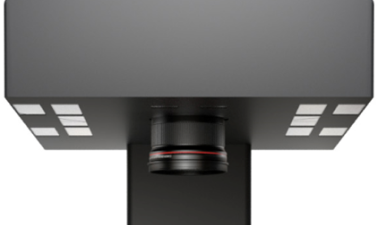
Wysoką jakość skanowania i prawidłowe oddawanie barw ElarScan A2 zapewnia między innymi nowoczesna technologia ponownego oświetlenia.

Lampy Cool LED nie emitują szkodliwego promieniowania UV i IR oraz zapewniają długą żywotność. Elastyczny adaptacyjny system oświetlenia ElarScan eliminuje tłumienie obrazu, odblaski i cienie nawet w przypadku używania szkieł ciśnieniowych. Podświetlenie włącza się podczas skanowania, można także ustawić tryb oświetlenia na stały.

KOŁYSKA

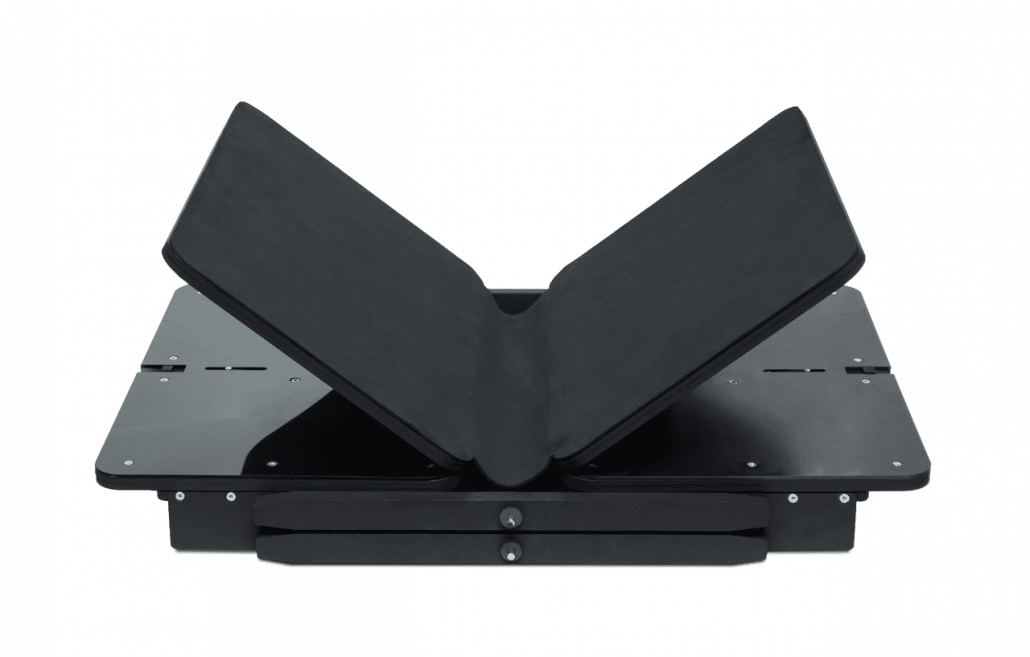
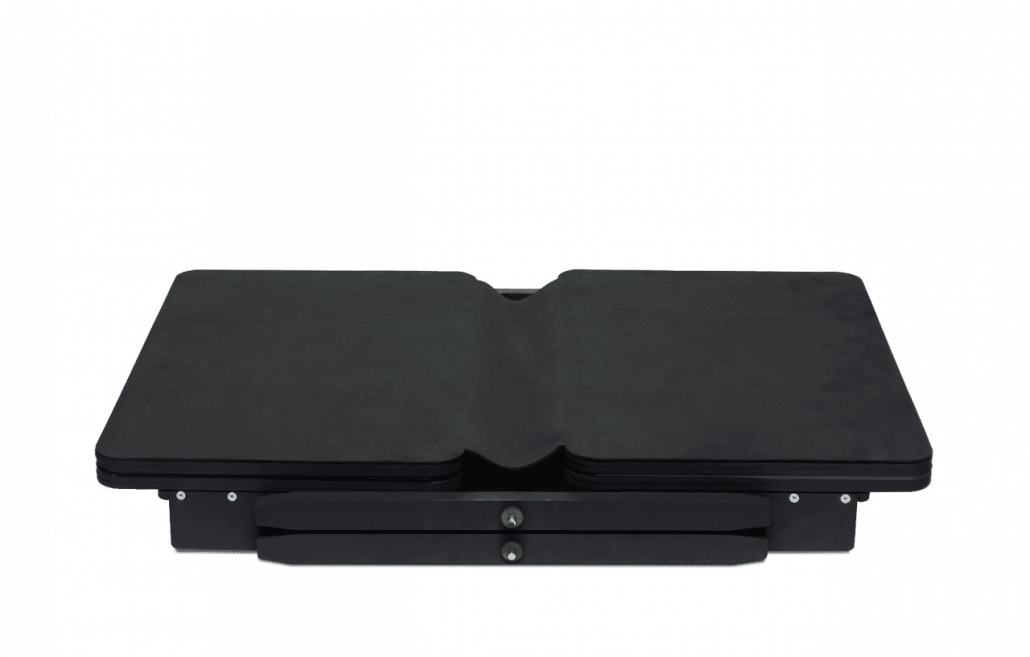
Kołyska ma kąty otwarcia 180, 120 oraz 90 stopni, jednocześnie połówki można podnosić osobno i przesuwać razem. Po rozłożeniu pod grzbietem książki w kołysce znajduje się wgłębienie, co eliminuje ryzyko uszkodzenia. Kołyska wyposażona jest również w mechanizm automatycznej płynnej regulacji wysokości. Stacja jest sterowana z panelu skanera.

WBUDOWANE OPROGRAMOWANIE

Wysoka jakość, duża wierność kolorów oraz brak zniekształceń obrazów podczas skanowania na ElarScan A2 wynika z dwóch głównych czynników: nowoczesnego układu optycznego oraz bogatych możliwości oprogramowania.

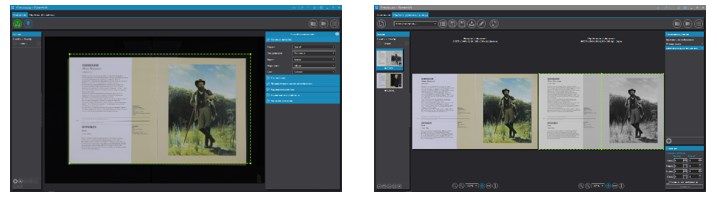
Wbudowane oprogramowanie ScanImage to kompletny zestaw narzędzi kontrolujących wszystkie etapy digitalizacji: skanowanie, obróbkę obrazu, kontrolę jakości oraz indeksowanie obrazów. Istnieje możliwość administrowania i kontrolowania pracy użytkowników, struktura katalogów plików, a także kontrola statystyk użytkowania.

NOWOCZESNA KONSTRUKCJA I ERGONOMIA

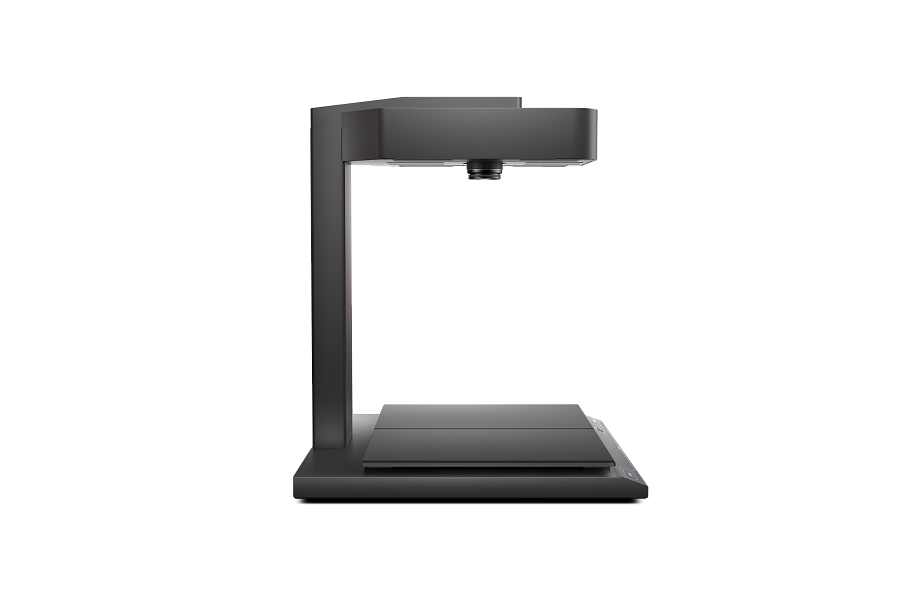
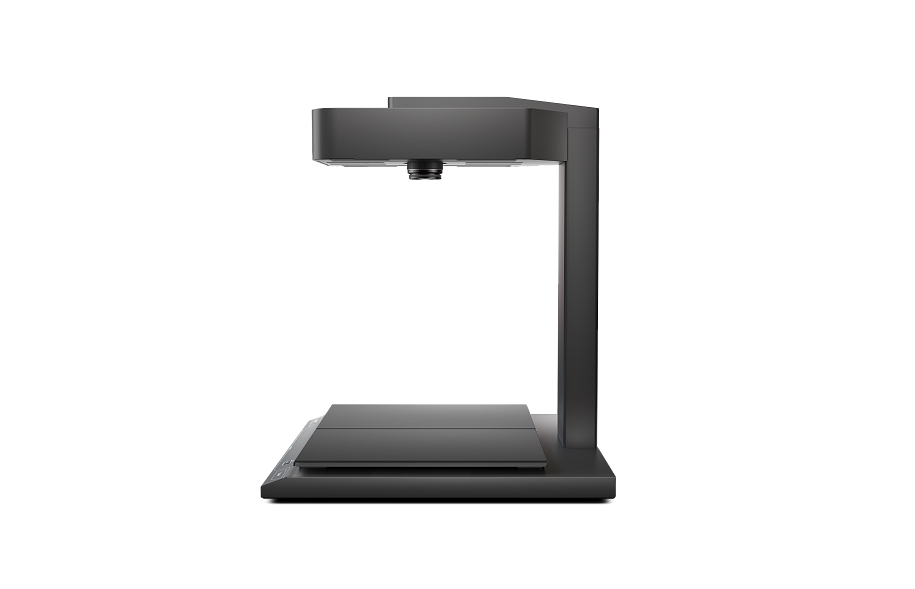
Konstrukcja skanera ElarScan А2-400 wykorzystuje wszystkie najbardziej zaawansowane technologie i materiały. Obudowa skanera wykonana jest z kompozytowego tworzywa sztucznego o wysokiej wytrzymałości, zamocowanego na metalowej podstawie, co zapewnia ogólną wytrzymałość i trwałość konstrukcji. Jest to szczególnie ważne w przypadku skanowania, gdy wymagana jest maksymalna ochrona przed wibracjami.

Panel kontrolny skanera ElarScan А2-400 wykonany jest z uwzględnieniem wieloletniego doświadczenia w produkcji skanerów do książek. Konstrukcja chroni przed kurzem i wilgocią, a także posiada diodową sygnalizację trybów pracy. Wszystkie przyciski panelu mają wizualne ikony i symbole w języku angielskim.

Dla wygody użytkownika skanowanie można uruchomić na kilka sposobów:

  • za pomocą przycisków rozpoczęcia skanowania na panelu skanera;
  • poprzez wbudowany interfejs oprogramowania;
  • według interwału (po określonym czasie);
  • przez funkcję automatycznego wykrywania odwracania strony;
  • za pomocą przełącznika nożnego sterującego (opcja);

SPECYFIKACJA TECHNICZNA

Scanner type:
  • Planetary scaner;
  • Table top position;
  • Built-in universal cradle and lighting system;
  • Computer unit not-built-in (sold separately).
Book cradle:
  • Universal V-shaped manual book cradle with independent manual adjustment of the angle of inclination of the cradle;
  • Opening angle 90, 120 and 180 degrees.
Lighting system: Integrated, adaptive, LED lamps without IR and UV radiation.
Scan system: Camera with CMOS RGB sensor.
Scan Resolution: 300-600dpi, optically adjustable.
Interactive optical zoom: With feedback and digital control, with the ability to automatically adjust the maximum resolution for a given scanning format (when using Professional version software — an option).
Maximum format: A2++ (650×420 mm).
Scan time: 0,5 sec., regardless of the size of the original.
Max. thickness of originals: 10 cm.
Max. weight of originals: 15 kg.
Control interface:
  • Dust and waterproof control panel with quick scan buttons;
  • Wide-format monitor to provide real-time preview and work with the complex software.
Embedded software:
  • Software for document imaging (SDI) basic version for ElarScan control;
  • Software for document imaging (SDI) full version (option) includes batch scanning functions, project and user profile management, filters and post-processing procedures, external image import, multilingual OCR and others. Can be installed on a separate computer.
Software for document imaging (SDI) basic version functions:
  • Batch scanning of documents, sections or books of various formats;
  • Geometric image correction when scanning with an original opening angle of 90, 120 and 180 degrees;
  • Access to camera software settings and save them in a scan job (Project);
  • Automatic detection of original size;
  • The ability to quickly jump to any scanned image;
  • View thumbnail image of all scans, ability to move the scanned image within the project with automatic re-numbering;
  • Deleting and replacing a failed scanned images;
  • Saving images to hard drive or to a network folder;
  • Auto-naming a files using variables and their combinations:
    • Name of computer;
    • Counter with the specified number of digits.
  • Scan start:
    • Using the scan start button;
    • Using software interface.
Additional functions of Software for document imaging (SDI) full version:
  • Interactive optical zoom with feedback and software control with the ability to automatically adjust a maximum resolution to selected scan size;
  • Splitting a scan into two separate pages and then saving it as two separate files;
  • Setting up Projects (jobs) and Profiles, allowing you to optimize the work of the operator;
  • Export/Import of scan Projects in order to preserve and/or transfer the jobs to other ElarScan or PC;
  • Free masking mode (selection of fragments) by real-time live preview;
  • Loading images in JPEG format from external sources by the «Hot folder» mode;
  • Switching from scanning mode to processing mode and vice versa at any time without the need to save current changes in image files;
  • Setting up and applying the ICC profiles;
  • Geometric image correction;
  • Access to camera software settings and save them in a scan Project;
  • Automatic detection of original size;
  • Ability to save raw images;
  • Archiving in ZIP format for sending by e-mail;
  • Saving images in cloud storage;
  • Rich auto-naming of scans using variables and their combinations:
    • Username;
    • Image size in pixels;
    • Resolution in dpi;
    • Date in the format dd.mm.yyyy;
    • Counter with the specified number of digits.
  • Starting a scan:
    • Manually, through the software interface;
    • By interval (after a specified period of time);
    • Using the automatic page turn detection function.
  • Recognition of a barcode on a scanned document, using a barcode to name a target folder;
  • OCR to PDF with text layer (support for more than 50 languages);
  • Batch post-processing of uploaded images from external sources;
  • Correction of brightness, contrast, saturation, gamma;
  • Image sharpening;
  • Image alignment;
  • Removing black borders and warps;
  • Removing the background of an image;
  • Removing debris from an image;
  • Removal of background «garbage», noise and spots for b/w images;
  • Scaling as a percentage of the original size;
  • Enlargement, reduction and rotation of the image;
  • Text lines alignment;
  • Clipping borders by the field;
  • Clipping borders by meaningful information — cropping the scan image by text/picture field;
  • Replenishment of edges by adding an extra margin and aligning edges using sheet geometry;
  • Block clearing — deleting an image inside or outside the selected area;
  • Masking the operator’s fingers;
  • Light level equalization;
  • Image centering;
  • Applying an electronic stamp to the image;
  • Saving multiple areas of an image as separate files (multi-masking);
  • Rotate by a given angle (multiple of 90 degrees or arbitrary);
  • Mirroring — reflecting the image vertically or horizontally;
  • Converting color and gray images to b/w without losing meaningful information;
  • Inversion of colors;
  • Setting up and preservation of a sequence of image processing operations (processing profiles);
  • Active post-processing mode — applying the processing profiles to coming images;
  • Return to the original image (undo) with the ability to undo all or each individual image processing filters.
Connection interface: USB; LAN (Gigabit Ethernet).
Additional (optional) modules and accessories:
  • Autonomous V-glass 120 degrees, 2xDIN A3 format;
  • Dust-proof covers;
  • The sensor monitor (recommended when using the scanner as a «self-service stand»).
Other: Dimensions: (L×W×H) — 620×640×730 mm
Weight: 30 kg
Power: 100-220V, 350W.

* — Indicated time depends on the selected settings and the post-processing functions used; The manufacturer reserves the right to make changes in the design and configuration of the product that do not reduce the quality and technical characteristics of the equipment.